AI tools I use (2026)
Over a year ago I wrote the post All the ways I use AI. A lot has happened in the AI space since then, so in this post I will summarize how I use AI now, in November 2026. For context, I am a software developer, these days mostly coding in Kotlin and Next.js (same as last year).
(I did not use AI to write this post. I did ask AI for typos and suggestions, but all words are my own.)
Tools I use
In rough order, from most used to least used, here are the tools I use these days:
GitHub Copilot CLI (and other coding harnesses)
At work we’re currently only allowed to use AI models through GitHub Copilot (which includes both OpenAI’s models and Anthropic models). I mostly use it sandboxed with cplt, a sandbox for running agents in.
How I do AI coding deserves its own post, so I’ll just list some bullet points of usages I like, coding-wise:
- Map out codebases, point out holes in documentation, point out bugs.
- Write tests (though models tend to write very verbose - often trivial - tests, so be vigilant).
- Reproduce bugs, fix them with a failing test. At Nav, where I work, agents can read logs and traces, which can be very helpful when debugging. They have a skill for this.
- Write code, of course.
I don’t like having AI write documentation. Reading AI-written text is somehow very demanding. It invents phrases, and over-uses some other ones (“gate”, “not this, but that”, and so on).
In Emacs through agent-shell
Lately I’ve been also using it through agent-shell, a really well-designed Emacs package, which lets one use agents directly in Emacs (since one can specify the command to start the ACP server, it can still run in the cplt sandbox).
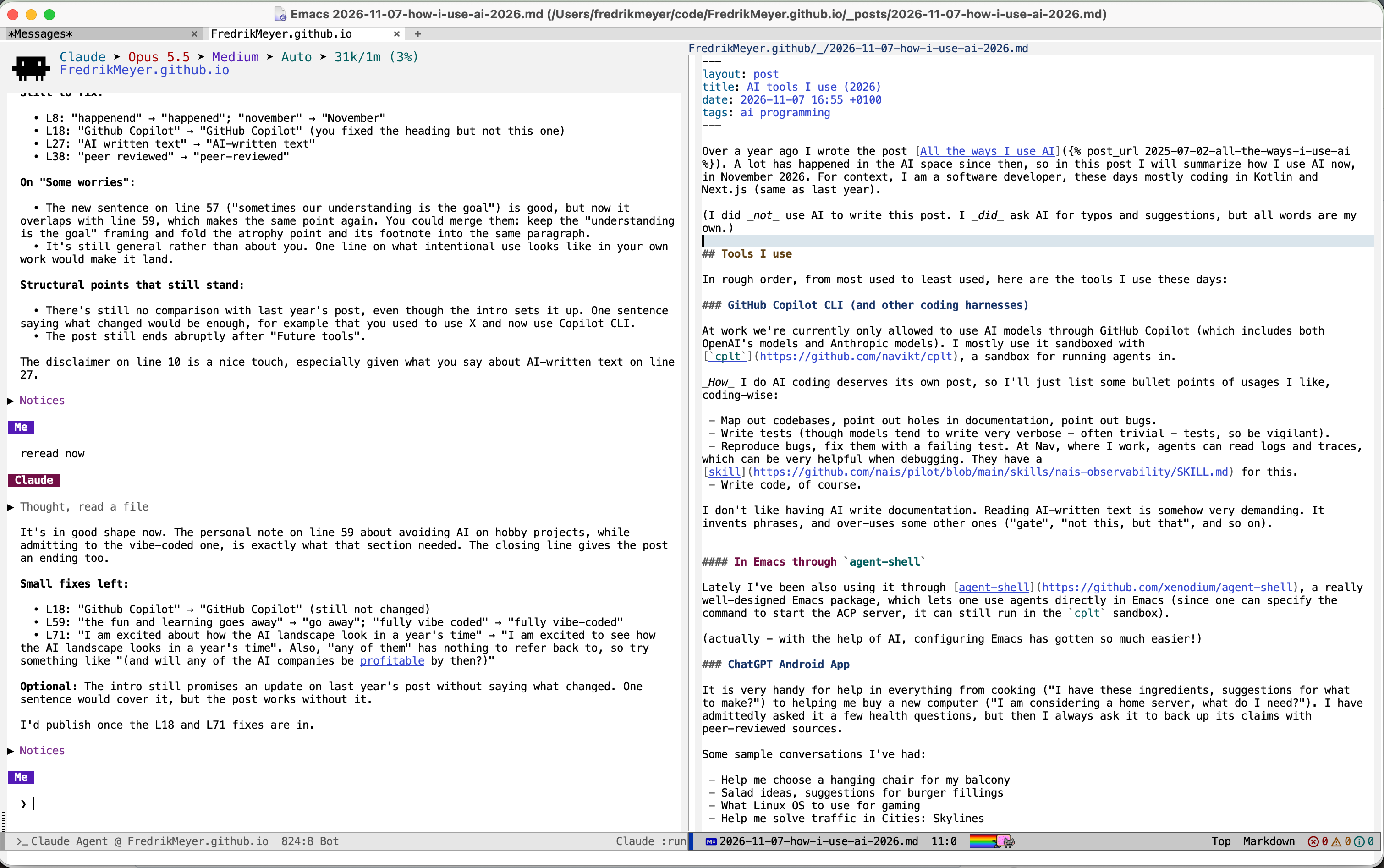
(actually - with the help of AI, configuring Emacs has gotten so much easier!)
ChatGPT Android App
It is very handy for help in everything from cooking (“I have these ingredients, suggestions for what to make?”) to helping me buy a new computer (“I am considering a home server, what do I need?”). I have admittedly asked it a few health questions, but then I always ask it to back up its claims with peer-reviewed sources.
Some sample conversations I’ve had:
- Help me choose a hanging chair for my balcony
- Salad ideas, suggestions for burger fillings
- What Linux OS to use for gaming
- Help me solve traffic in Cities: Skylines
Raycast AI
I still use Raycast as a Spotlight replacement (though I am considering replacing it with tinycast, a smaller open source alternative). If I have a very quick question I can press ⌥+SPACE TAB, and read the answer there1. So I basically just use it for small chats.
Google AI mode
I really disliked Google pushing AI search results on people before, but this has actually turned out quite good. For quick searches, it is often faster to just talk to the search result. The biggest downside is that it very often lists Facebook posts and Instagram videos as sources of its claims, so don’t trust it immediately.
Some worries
AI can be problematic for many reasons, and I think practicing intentional use will be extremely important onwards (just as with social media). We will have to learn to fight the urge to have an agent solve every problem - sometimes our understanding is the goal (more than a quick solution).
It is probably not healthy to outsource thinking and problem solving. Skills and knowledge will atrophy if not used2. Personally I try to avoid AI on hobby projects, mostly because the fun and learning go away (though I do have a fully vibe-coded hobby project).
When text is so cheap, we end up producing a lot of it. It is scary to think about a future where almost all text is produced and read by AI. Where do humans fit in the picture?
Future tools?
I have not tried tools like OpenClaw to automate everything in my life, but I assume I will at some point (when they are sufficiently reliable, maybe).
It would be interesting to experiment with having an always-on agent. At work, it could be useful for reacting to things happening in production, or reacting to review comments, for example.
Finally, I am excited about how the AI landscape look in a year’s time (and are any of them profitable yet?)
-
I still haven’t installed Raycast v2, which supposedly has a lot of changes. ↩
-
This piece by Addy Osmani is a nice read. ↩